Creating ACH-IAT files from within QuickBooks.
With this feature, you can create a NACHA compliant ACH-IAT file to upload to your bank.
One-time setup
1. Create a new account within ACH Universal
Click on File > New Account.
Note: You will need to create a separate account within ACH Universal, apart from your typical transactions.
We recommend that you call the new account 'International' or similar to help you distinguish it from your other accounts.
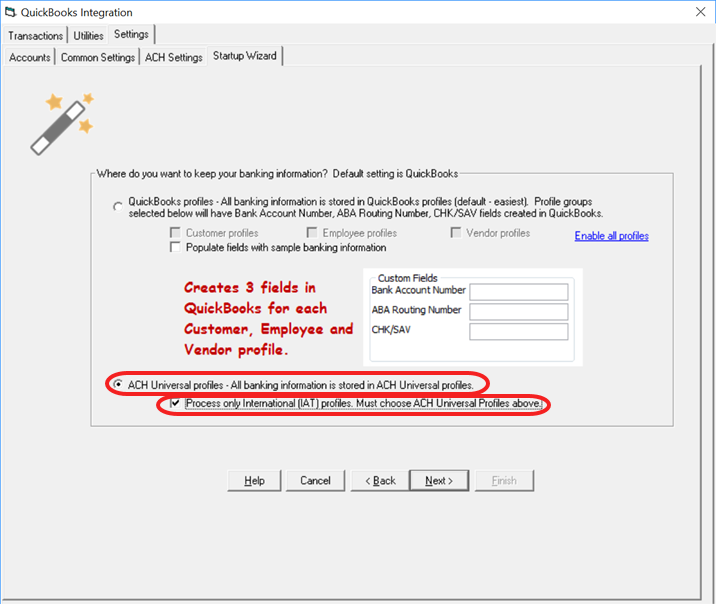
2. Click on the QuickBooks Integration icon to start the Wizard.
During the setup wizard:
--select the ACH Universal Profiles option, and
--check the box 'Process only International transactions'
continue and complete the wizard.
When finished, simply close the QuickBooks Integration Wizard to continue.
3. Enter your banking information for the IAT record.
On the Home tab, click on the lower half of the Add a Record icon. From the drop down, select International.
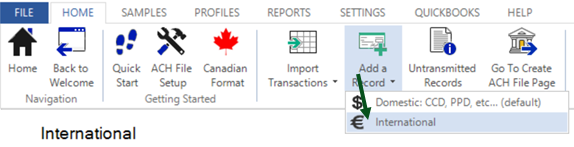
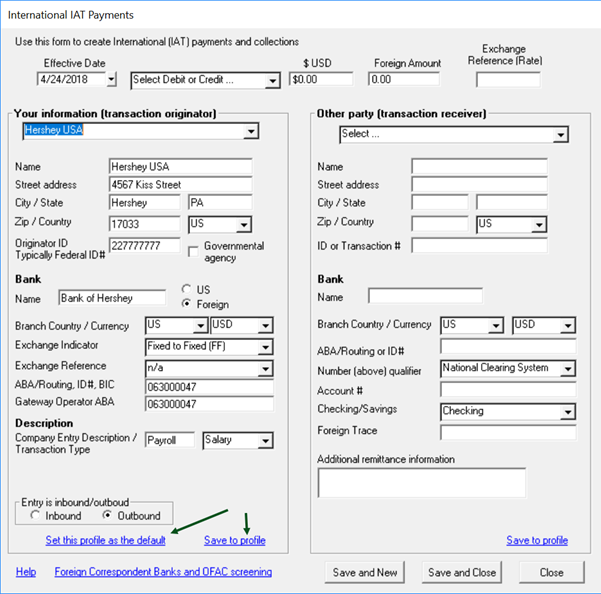
The International Window will open.
On the left-side, enter your banking information as appropriate.
3a. Click on 'Save to Profile'
3b. Then, click on 'Set this profile as the default'
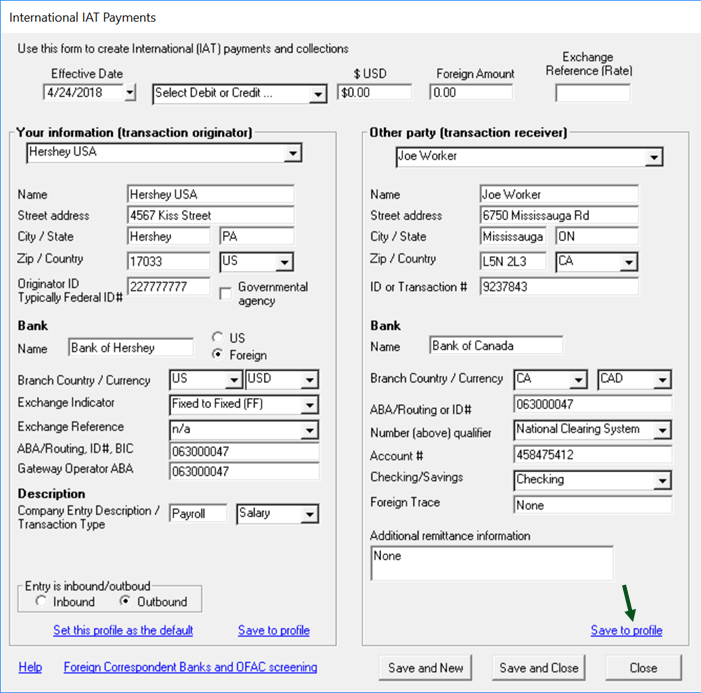
4. Enter your vendor's banking information for the IAT record.
When finished, click 'Save to profile'.
To add a new profile, click on the name drop down on the top and select <<Add a Profile>>.
Continue adding as many international profiles are as needed.
Important: The names that you enter MUST MATCH EXACTLY as to as you have entered the name within QuickBooks.
Daily use
Enter transactions into QuickBooks as usual.
When you are ready to create your transmission files:
1. Within ACH Universal, enter into your 'typical' account.
When you create your 'typical' transmission file - the International transactions will not be included in it.
2. After you complete step 1 - within ACH Universal, switch to your 'International' account.
When you create your 'International' file - only the International transactions will be included.
Transmit both files to your bank as instructed.
Release notes:
This feature will be fully released on May 15, 2018.
The release applies to QuickBooks Pro, Premier and Enterprise.
The release will not initially support encryption.