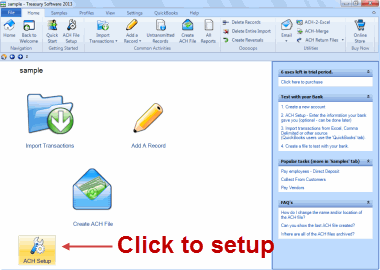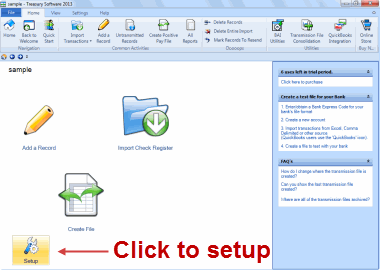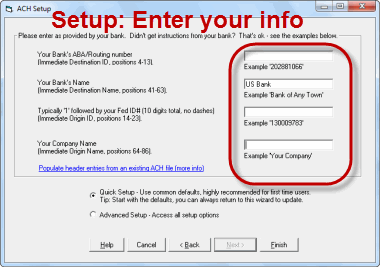
Welcome US Bank clients
This page is for US Bank clients seeking assistance in creating ACH and/or Positive Pay files.
Next steps:
1. Download and install Treasury Software desktop edition
This is a full working version, good for 7 uses. No credit card or email is required.
Note: If you need the multi-user edition, click here.

2. Start the software and select either ACH Universal or Bank Positive Pay from the Welcome screen.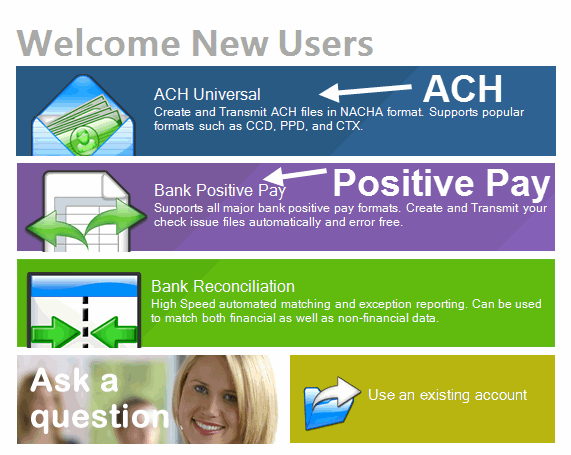
We highly recommend watching the overview tutorial embedded within the software.
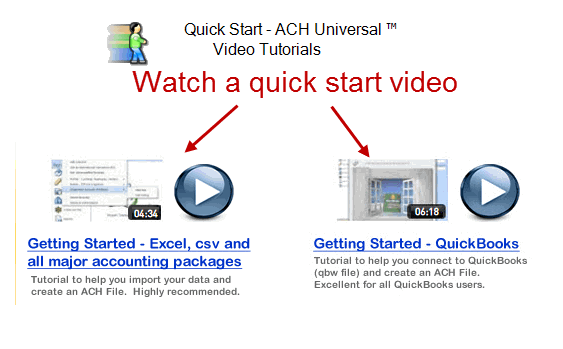
Select a Quick Start video based on how you are importing data.
3
. Go ahead and take the software for a test spin. Prior to testing with US Bank, create a new account (File > New) and make sure that you enter your account numbers and/or other information.
We'll get you up and running - guaranteed!
Contact your US Bank representative for more information, or visit our online store directly and use discount code USB27 for a 30% discount.
ACH Universal online store
Bank Positive Pay online store
Do you want to use Treasury Software in a Multi-user SQL Express or SQL Server environment?
Follow the links for:
SQL Express (free database)
SQL Server (you would supply the database)
Not sure if you need SQL? Hold off - you can install it later at any time.
Can't find what you need? Contact us online or at 866-226-5732
US Bank and the US Bank logo are registered trademarks of US Bank
© Treasury Software Corp. 1999 - 2014. All rights reserved.
|
|