Create and transmit ACH (Nacha) files.
Recommended for QuickBooks Online.
Create and transmit ACH (Nacha) files.
Recommended for QuickBooks Desktop.
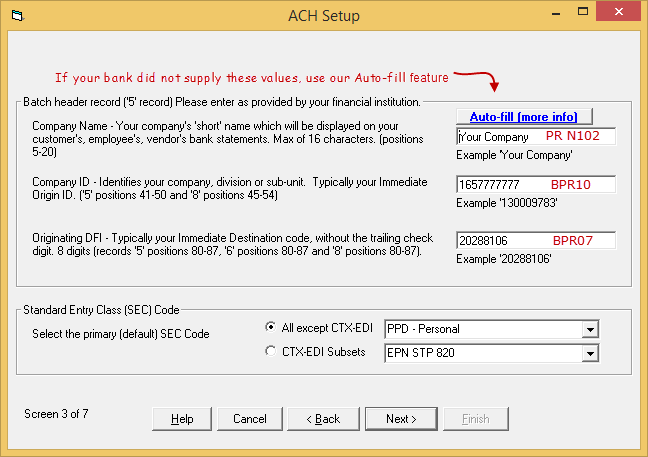
The following screen shots can be accessed from the main menu. Settings tab > ACH File Setup (pane 3)
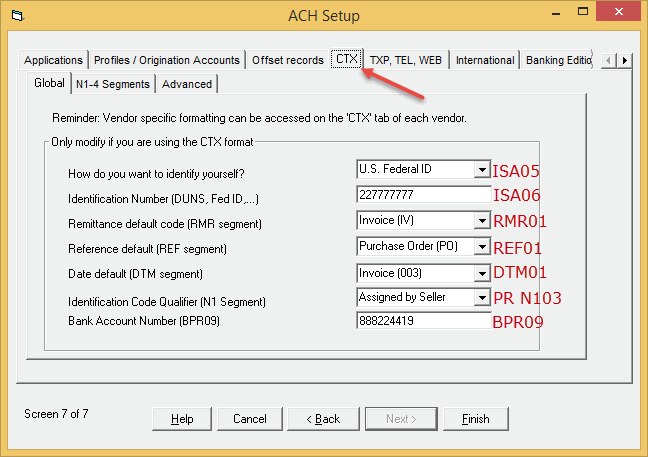
Settings tab > ACH Setup (pane 7) > 'CTX' tab
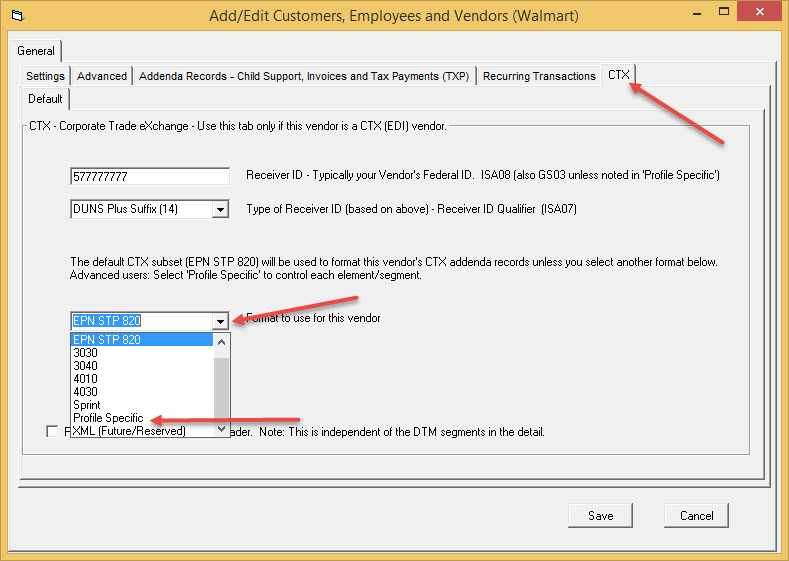
Profiles tab > Profiles - Customers, Employees and Vendors (edit or add)
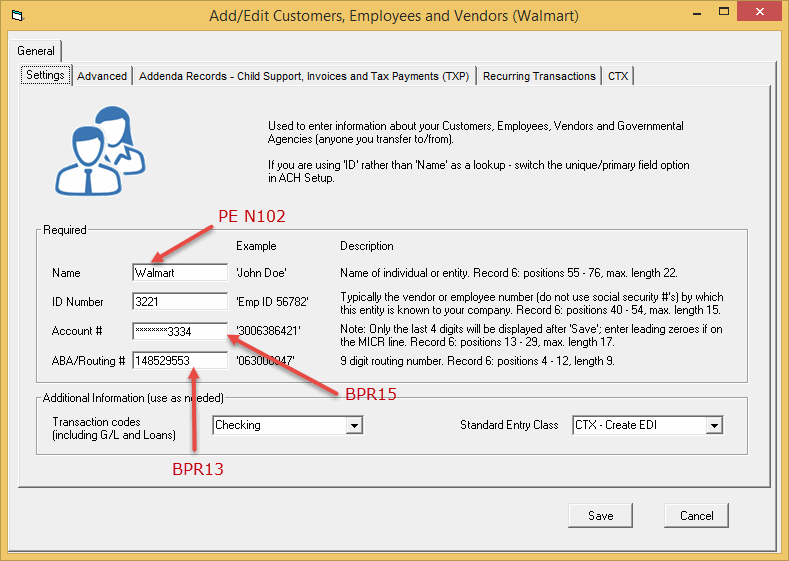
Select the CTX tab then Profile Specific from the drop down
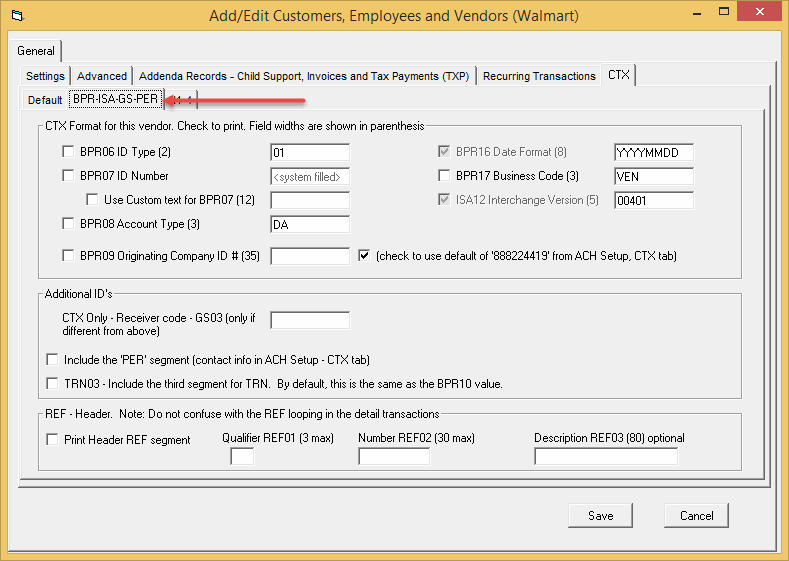
Next select the BPR-ISA-GS-PER tab
Some of our clients:

ProductsUtilitiesSupport
Listings on Intuit App Stores:
QuickBooks Pro, Premiere and Enterprise - Create ACH, EFT and Positive Pay Files QuickBooks Online - Create ACH, EFT and Positive Pay Files Industry resources: NACHA, ePayAdvisors, EPCOR, WESPAY, US Bank, UMACHA © Treasury Software Corp. 1999 - 2026. Intuit and QuickBooks are registered trademarks of Intuit Inc. Used with permission. Plesk. All rights reserved. Privacy Policy. Terms of Use. |