To enter your authentication code:
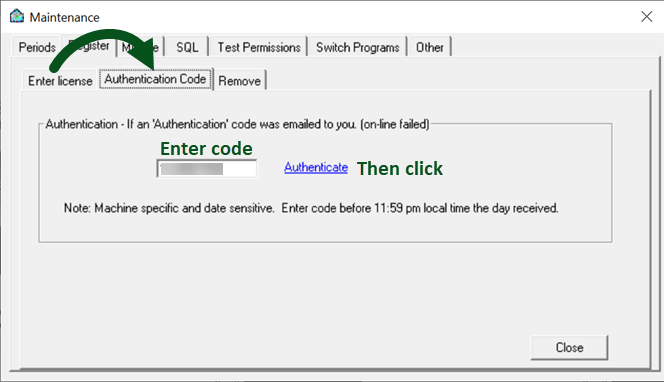
Within Treasury Software navigate to Authentication Code tab by clicking File > 'Enter / Remove License Codes'.
--Select the 'Authentication Code' tab.
--Enter in your authentication code
--Click 'Authenticate'.
For additional instructions on how to enter the authentication code, click here.

 Customer Billing Portal




 (866) 226-5732

